Planning that keeps up with change
Mosaic helps firms plan around real availability, make changes in seconds, and keep plans current with shortcuts, automation, and AI.

Planning breaks when projects and people are planned separately
Most firms don’t struggle because they lack a plan. They struggle because the project schedule lives in one place, people’s time lives in another, and the real updates happen in meetings, messages, and spreadsheets.
Your tools were never built for this
ERPs Are Too Clunky
Mosaic’s AI planning assistant continuously monitors projects, workload, deadlines, and delivery signals across the firm — and proactively chases down the missing updates so managers and leadership always know what changed, what’s still outstanding, and where the risk is.
Spreadsheets Can’t Keep Up
The spreadsheet you emailed Monday is already wrong by Tuesday. They lack the visuals to see what’s really happening and depend on manual upkeep across disconnected files. Planning data needs to stay connected to your financial software—not live in exports scattered across the firm.
Mosaic Is Purpose Built
Mosaic integrates with your financial and operational software so plans stay connected to real data. When priorities shift, changes take seconds— not days of rework across systems.
The plan is the foundation for everything else
Resource planning is the first step in understanding what is happening across the business and what comes next.
When project and people plans stay current, firms get accurate data to plan workload, revenue, and headcount with confidence. Without it, everything downstream becomes guesswork.
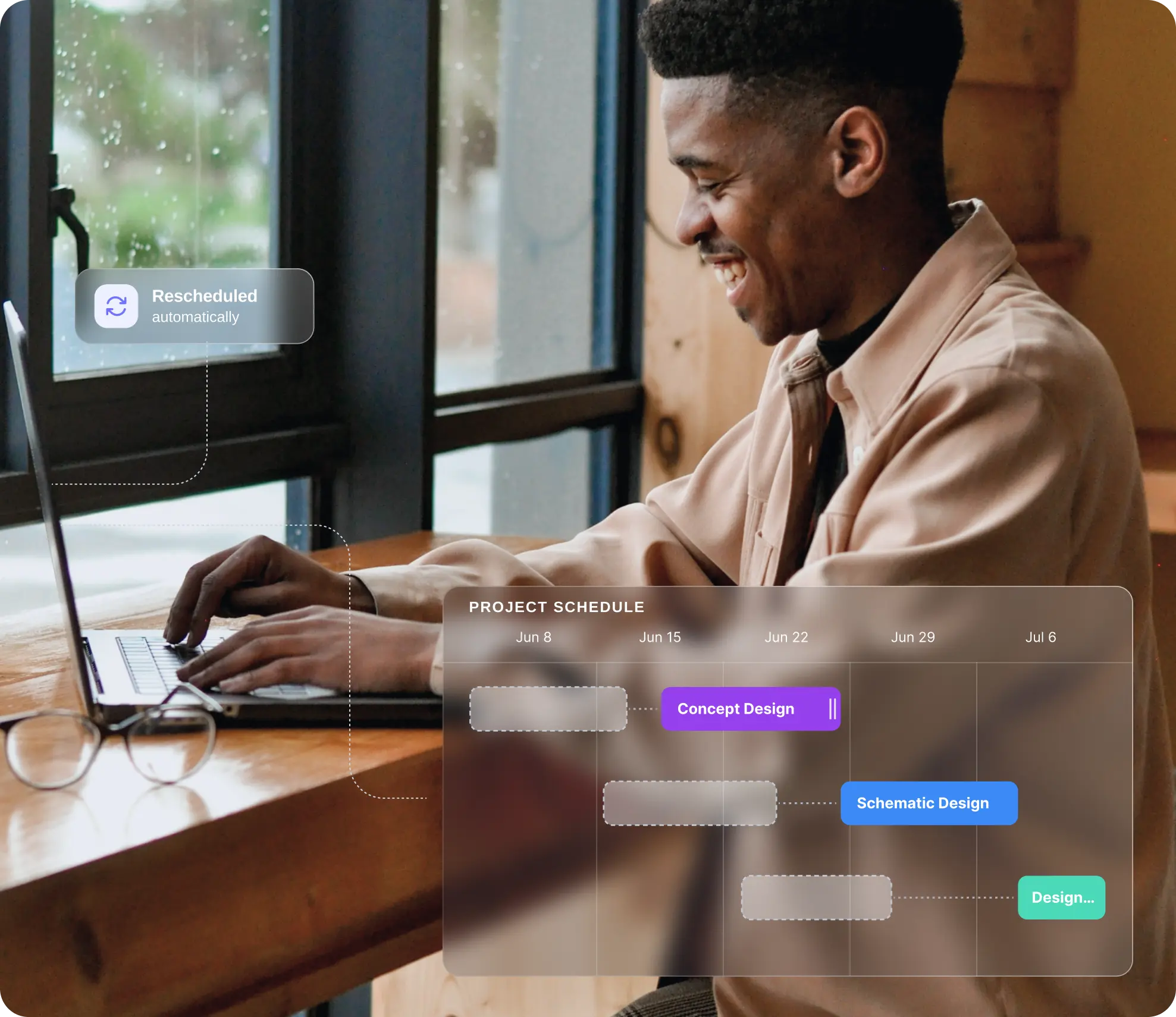
As life gets in the way of the plan, Mosaic keeps up
People coming and going. Projects starting and stopping. Priorities changing and scope creeping. You need a platform built to adjust schedules as quickly as work changes.

Drag-and-Drop Scheduling
Plan visually. Move bars, shift assignments, extend or shorten work, and update the plan directly in seconds.

Automated Dependencies
Sequence work across phases and milestones. When timing shifts upstream, downstream work stays connected.

Automated Rescheduling
Mosaic’s patented rescheduling cascades updates automatically so teams don’t manually repair every downstream assignment.

Shortcuts & Automation
Inline editing, bulk actions, dependency shortcuts, and auto-planning remove the friction that makes planning feel like homework.

Real-Time Plan Sync
Edit once, and the update carries through everywhere. Project views, people views, budgets, and reporting stay aligned instantly.
.png)
Plan visually instead of fighting your tools
Stop forcing every change through forms, tabs, and manual cleanup. Move bars, shift assignments, extend work, shorten work, and update the plan directly—in seconds.
The plan updates everywhere the moment you make a change.
Why this matters
When every change takes five clicks and two approvals, managers stop updating. Mosaic makes it fast enough to plan in your meeting—not after it.

Plans change. Mosaic keeps up.
Mosaic’s patented automatic rescheduling cascades updates automatically so teams do not have to manually repair every downstream assignment each time a date moves.
No more spending your Monday morning rebuilding the plan that broke on Friday.
.png)
Spreadsheets
One change means hours of manual updates across dates, hours, and linked tabs.
ERPs
Rescheduling means re-entering data across modules. Most teams skip it entirely and let the plan go stale.

Move a deadline and Mosaic reschedules the affected assignments automatically. Review, approve, done.
Review what happened, or manage what’s going to happen.
You start plans from scratch, chase updates manually, and find out schedules drifted weeks after the fact. Plans go stale because maintaining them takes more effort than most managers have.
You start with a workable first draft. Chello watches the plan for you, flags what drifted, chases updates, and suggests adjustments—so teams stay ahead of change instead of reacting to it.
- Generates draft plans you can review & refine in minutes
- Tracks out-of-date schedules & flags missing data
- Chases updates & can update schedules at your request
- Keeps watching after the plan is built, surfacing changes
- Suggests adjustments so teams stay ahead of drift
- Learns from past schedules to improve recommendations
.png)
Plan together, not in silos
Work rarely stays inside one team or office. Mosaic gives firms shared planning views across the organization, making it easier to coordinate work, shift assignments, share staff, and keep everyone working from the same current plan.
When planning is shared, managers can work together instead of planning in isolation. That creates better accountability, fewer blind spots, and a plan the firm can actually act on.
- Multi-Office
- Department Views
- Shared Plans
- Firm-Wide Visibility
.png)
.png)
Data the firm can confidently plan around
Mosaic connects with your existing software—pulling in staff, clients, projects, fees, and more—to deliver planning visibility.
When project and people plans stay current, the firm gets accurate data it can confidently use to plan workload, revenue, and headcount. That is how better planning turns into better downstream decisions.
- ERP Integrations
- Financial Sync
- Connected Data
Planning built specifically for the people doing the planning
Mosaic is not a spreadsheet patchwork or a planning workflow buried inside a broader finance system. Day-to-day planning needs to be visual, fast, shared, and easy to update. When the tool is slow, rigid, or disconnected, planning becomes an extra task.

Visual
See the full picture of projects, people, and timelines at a glance. No more guessing what the plan looks like.

Balanced Workloads
Make changes in seconds with drag- and-drop, shortcuts, and bulk actions. Plan in your meeting, not after it.
Shared
Everyone plans from the same reality. Cross-team, cross-office, always current. No more side files and version confusion.

Always Current
AI and automation keep plans up to date so managers don’t have to choose between doing the work and updating the plan.

Connected
Planning data stays linked to your financial and operational software. No exports, no reconciliation, no drift.

Actionable
The same planning data drives capacity, allocation, forecasting, and scenario planning. One source of truth for every decision.
4x
When planning is fast enough to actually keep up with change, managers plan more of their team’s time—and the firm gets the visibility it needs to make confident decisions.
Planning, allocation, and capacity are a three-legged stool
When planning is fast enough to actually keep up with change, managers plan more of their team’s time—and the firm gets the visibility it needs to make confident decisions.

Better planning starts the moment it stops being painful
Project and resource planning only works when the system can keep up with change. Mosaic’s AI and automations help firms make updates quickly, so it becomes realistic for every manager to keep plans current week after week.