

Microsoft Project Online alternatives for resource planning
Microsoft retired Project Online on September 30, 2026, and its users can no longer reach their projects or the data in them. Firms that planned people in Project Online need somewhere else to do it. Mosaic, an AI project and resource planning tool, plans people across every project by role, skill and availability, from the data in your ERP, and forecasts revenue and hiring from the plan.
The right replacement depends on what your firm used Project Online for: schedules, a portfolio of projects, or the people on them. Each option below says which job it fits. We make Mosaic, so this page says where it fits.
What happened to Microsoft Project Online?
Microsoft retired Project Online on September 30, 2026. Its notice says users can no longer reach their projects or the data in them after that date, and it pointed firms still on Project Online to a Microsoft partner.
Microsoft names three paths: Microsoft Planner, Project Server Subscription Edition for advanced portfolio needs or as a bridge, and Dynamics 365 Project Operations for firms on Dynamics.
Planner, a portfolio suite or a resource planning tool: which fits?
Each option fits a different job. Firms whose main job in Project Online was planning people across projects look at a resource planning tool beside their ERP.
| Option | What it’s for | Fits firms that |
|---|---|---|
| Microsoft Planner | Microsoft’s cloud option. Portfolios, baselines, dependencies and Gantt charts need the Planner and Project Plan 3 license, per Microsoft | Want plans and tasks to stay in Microsoft 365 |
| Project Server Subscription Edition | Advanced project and portfolio management on your own servers, or a short-term bridge before the cloud, per Microsoft | Need on-premises portfolio management |
| Dynamics 365 Project Operations | Microsoft’s path for Dynamics ERP customers, especially those focused on timesheets and resource scheduling | Run Dynamics as their ERP |
| A resource planning tool such as Mosaic | People across every project by role and skill, from the ERP, with revenue and hiring forecasts | Mainly used Project Online to plan people |
Does Mosaic replace Microsoft Project?
Not for every firm. Mosaic plans projects by phase and the people on them, with budgets in hours or fees. Firms that run detailed task schedules with dependencies in Microsoft Project can keep doing so, and plan the people in Mosaic.
In Mosaic, a project lead sees who is free next month before committing to new work, and the forecast moves with each decision.
Task schedules and dependencies inside each project.
People across every project, by role and skill, with forecasts from the plan.
What Mosaic plans:
- Each person’s week across every project, by role and skill
- Projects by phase, with budgets in hours or fees
- Billable and non-billable time, against targets by role
- Work in the pipeline, before it’s won
- Revenue and hiring forecasts from the live plan
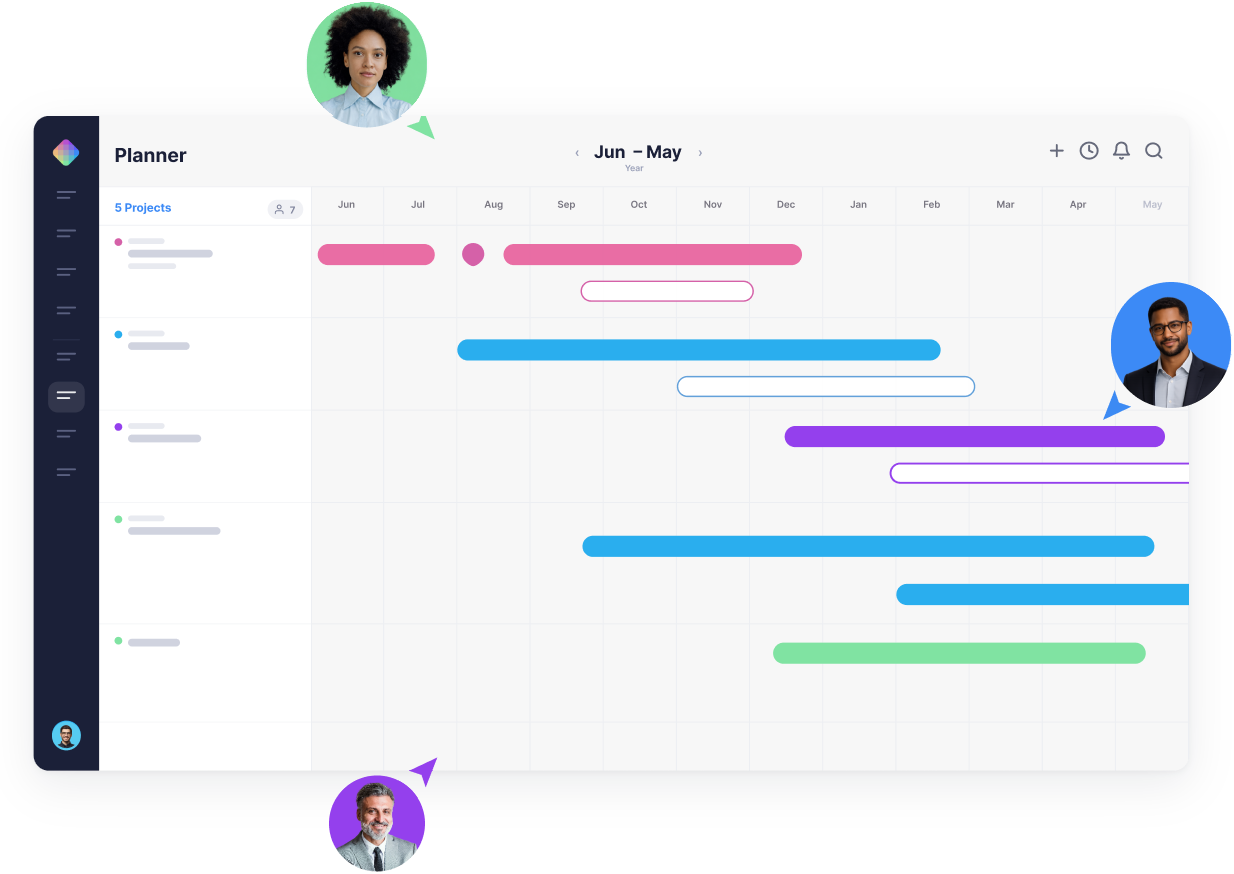
What should A&E firms that scheduled staff in Project Online look at?
A&E firms usually keep fees, phases and time in an A&E ERP such as Deltek, BQE Core or BST Global, and need staff planned by phase against those fees. Mosaic reads projects, phases, people and time from the ERP, and plans each phase’s staff against its budget.
Project management software for A&E firms · Resource planning with Deltek
How do firms get started after Project Online?
Firms connect Mosaic to their ERP, so projects, phases, people and time come in, and Mosaic can import their Microsoft Project schedules, with anything else loaded from a file. Firms are integrated in days, trained and live in 30 to 60 days.
Resource planning with Microsoft Dynamics 365 · Resource planning that works with your ERP
- Connect Mosaic to the ERP, which brings in projects, phases, people, roles, rates and time.
- Import your Microsoft Project schedules, and load any other projects and work plans from a spreadsheet file.
- Each project lead plans the next few weeks: who works on which phase, and for how long.
- Check planned utilization by role, and hire before the roles run short.
What results have firms seen with Mosaic?
Firms on Mosaic plan 80% or more of their billable staff capacity, against under 50% at typical firms on ERPs and spreadsheets, and a quarter of them report their most profitable year ever.
Source: Mosaic planning data
80%+
of billable staff capacity planned at firms on Mosaic
Under 50%
planned at typical firms on ERPs and spreadsheets
1 in 4
firms on Mosaic report their most profitable year ever
For project-driven firms
Mosaic is for firms that live and die by planning effectively, and that value project and resource planning, management and forecasting. When people are your most valuable resource, and they determine what you can get done and when, you want the best tool for the job: one that gives you control over delivery when deadlines matter. Without one, firms leave $10k to $20k per employee on the table every year: the profit in five more points of utilization, according to the Resource Management Institute. And there’s much more to lose.
How is Mosaic priced?
Mosaic is priced per seat and billed annually, at standard rates that are the same for every firm. A seat’s price doesn’t depend on the person’s role, and the per-seat rate comes down as the seat count grows, at the same steps for every firm. One annual subscription covers the seats, the platform (onboarding, training, a Customer Success Manager, support and hosting) and any ERP integration, which Mosaic owns and maintains. Setup and implementation are a one-time cost, scoped to the firm’s rollout and listed on the quote before the firm signs. Firms who plan on Mosaic typically see 10 to 20x ROI in a full year, and 12-month contracts that run Chello, Mosaic’s AI planning assistant, in Microsoft Teams are backed by a 5x money-back guarantee. The return comes from staffing projects before the work starts rather than after.
Speak to the team to learn more.
What else do firms ask about replacing Project Online?
Can we still get our data out of Project Online?
Microsoft’s notice says the data can’t be reached after September 30, 2026, and points firms that haven’t moved to a Microsoft partner.
Does Mosaic work with Dynamics 365 Project Operations?
Yes. Mosaic integrates with Dynamics 365 Project Operations.
Can Mosaic import our Microsoft Project schedules?
Yes. Mosaic can import your Microsoft Project schedules. If your firm moves to Microsoft’s replacement for Project Online, Mosaic can build a custom integration for it.
How long does it take to switch?
Firms are integrated in days, trained and live in 30 to 60 days.
Is Mosaic SOC 2 Type II?
Yes. Mosaic is SOC 2 Type II, supports single sign-on and two-factor authentication, encrypts your data in transit and at rest, and the AI models it uses aren’t trained on your firm’s data.
Book a 20-minute demo
See your projects, phases and people in one plan, built from the data in your ERP.