Stop planning in the dark
Plan projects around the actual capacity of your people, manage the work in one place, and forecast workload, revenue, and headcount.
Mosaic is the AI planning tool for project-based firms.
Easy. Visual. Fast. Automated.
Mosaic is something you really have to see for yourself.
By submitting, you agree to Mosaic's Privacy Policy.
Millions of projects planned in Mosaic.












Every project-based firm struggles with the same questions
What's happening right now
- Who's working on what project, and when?
- Who has the skills and availability for this project?
- Do we need to take on more work?
- Or are we overcapacity?
What's coming next
- What’s our backlog for next quarter?
- What roles do we need to hire for?
- Which projects are at risk of going over budget?
- Which projects or clients are most profitable? Which lose money?
The answers live in meetings, spreadsheets, and systems built to record the past. Planning needs a tool built for the future.
The source of truth for the plan
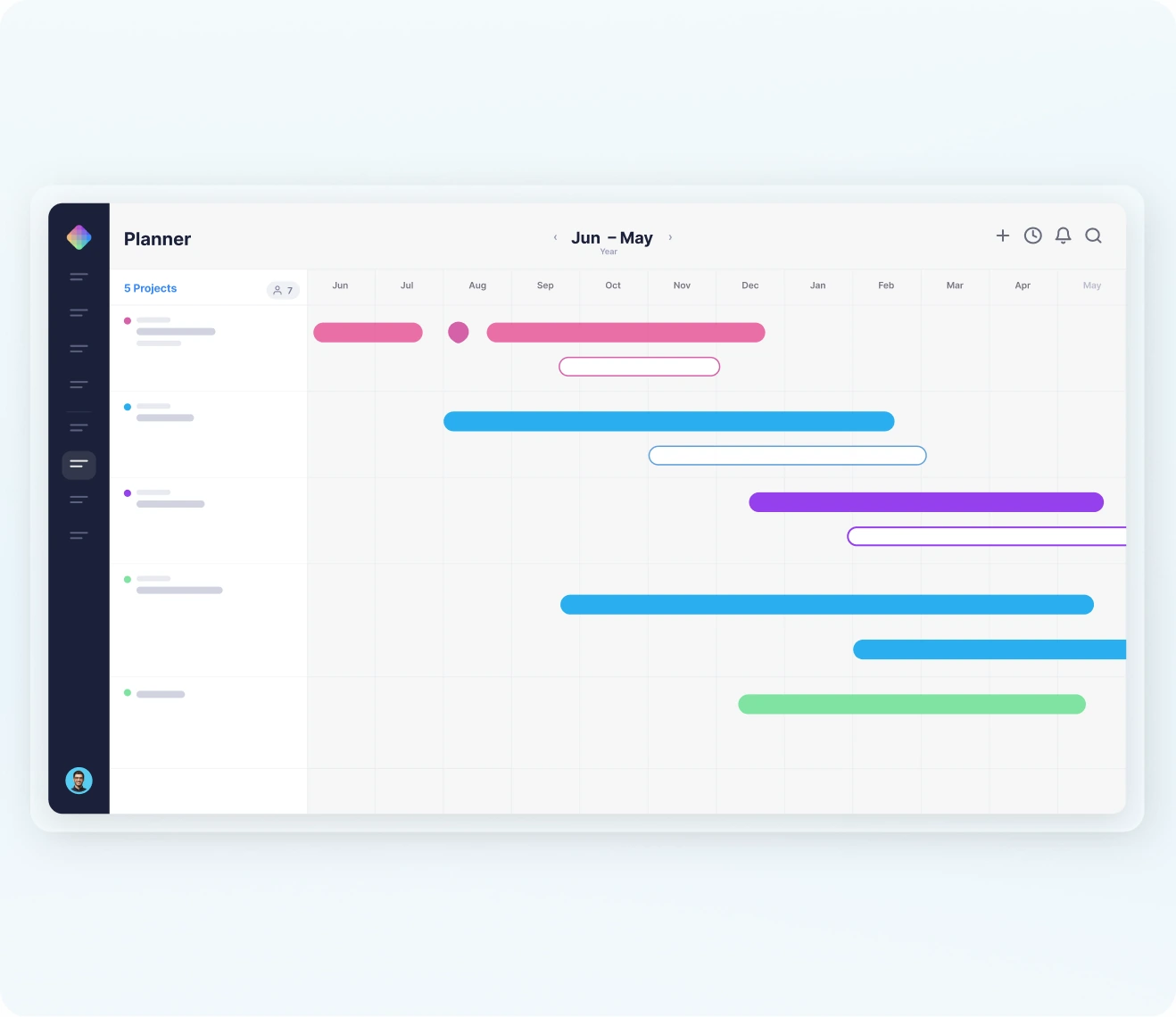
Mosaic makes planning a team sport: the whole firm sees who is working on what and when, in real time. Your ERP keeps the books. Mosaic keeps the plan, and what it means for utilization, burnout, and profit.

"Knowing in advance when you're going to need to hire to meet future backlog is, to some extent, the holy grail of the engineering professional services industry."
What sets Mosaic apart
Not just reasons to want a planning tool. Reasons firms pick this one.
Purpose-built for project-based firms
Mosaic goes deep on projects and people. Instead of planning buried inside a system built for someone or something else, you get the complete picture, in one place.
Easily plugs into your ERP
Mosaic connects natively to Deltek Vantagepoint, Vision, and Ajera, plus Unanet and BST, and to everything else through an open API, so your ERP stays the protected system of record and Mosaic becomes the planning layer on top.
Chello, Mosaic's AI planning assistant
Ask Chello anything about your people, projects, plans, and money, and it answers from your firm's live planning data, then chases the missing updates, staffs the work, and tells you what's coming.
Simpler to use. Orders of magnitude more sophisticated.
Your whole team plans in it, not just a few resource managers, and underneath that simplicity sits the live capacity, budget, and forecasting math a spreadsheet or an ERP module was never built to hold.
You can't prepare for what you can't see coming
Plan people and projects in one place, and get the visibility to
manage effectively and keep everyone in sync.

Get Real-Time Visibility
See who is doing what project, and when, in real-time.

Balance Workload
Prevent burnout before it becomes turnover.

Understand Supply & Demand
Know exactly which project work, roles, and skills are in demand.

Plan Headcount
Know what roles you need to hire for, before it hurts.

Forecast What's Coming
Workload, revenue, and headcount, forecast from the live plan while there's still time to act.

Maximize Profitability
Save time, increase productivity, and maximize billable hours.
What dedicated planning software changes
Source: Mosaic's 2026 Resource Management Report
93%
of Ops & Delivery Leaders say dedicated planning software helps their teams plan capacity more effectively
87%
say it lets their teams spend more time on strategic work instead of reactive firefighting
84%
report stronger profit or delivery predictability after rolling out dedicated planning software
We believe planning better can change everything about your firm, starting with profit.
When time is what you sell, planning is the highest-leverage investment you can make.
+5%
utilization is the lift firms see when planning gets serious
+32%
more profit is what that utilization lift is associated with
$1M–$2M
a year for a 100-person firm, at typical billing rates
Benchmark from the Resource Management Institute's research. Firms who plan on Mosaic typically see 10 to 20x ROI in a full year, backed by a 5x money-back guarantee in the implementation year.
Half Software, Half Getting You There
Software alone doesn't change how a firm plans. Mosaic comes with the other half: guided onboarding, change management built in, and planning best practices from hundreds of project-based firms. You're not buying software. You're adopting a better way to run the firm.
Implementation & Onboarding
Education & Training
Customer Support & Coaching
"You're not just selling us gym equipment. You're giving us a gym membership and personal training: the equipment, the training and the knowledge to use it, and a strategy to get to success."
The top 5 reasons you need Mosaic
- 01You don't have visibility into what your team is working on.
- 02You want everyone to have ownership and accountability of their work.
- 03You want to break down the silos to easily share people across teams.
- 04You want to be able to put together project teams in minutes.
- 05You want to know if you have enough work or too much, and which roles to hire for.

Answers to the questions firms ask us
Does Mosaic replace our ERP?
No. Your ERP stays the single source of truth for your financials, and Mosaic connects to it, pulling all of the data you need. Planning happens in Mosaic. Your books are never at risk.
How is Mosaic different from the planning module in our ERP?
Your ERP is built to record what already happened; Mosaic is built to plan what happens next, with live schedules your project managers will actually keep current instead of letting planning drift back into spreadsheets.
What is Chello?
Chello is Mosaic's AI planning assistant: it answers questions about your firm's planning data, in Mosaic or in Microsoft Teams, follows up on stale plans, builds project teams, and forecasts workload, revenue, and hiring.
How fast can our firm adopt Mosaic?
Most firms go from signed contract to planning live in 30 to 60 days, on a standard 6 to 8 week rollout, with a 10 to 12 week train-the-trainer option for larger firms.
Can Mosaic forecast revenue and headcount?
Yes. Mosaic projects revenue, workload, and headcount together from live plans and pipeline, and tells you when to hire, for which roles, and because of which projects.