

Resource planning with QuickBooks Online
Agencies and consulting firms that keep their books in QuickBooks Online plan their people in Mosaic, an AI project and resource planning tool. Mosaic reads clients, projects, phases, people and time from QuickBooks Online, so the plan starts from the data the firm already keeps there.
Mosaic fits firms on QuickBooks Online that staff people across several clients at once and want to see who is free, which budgets are running ahead and when to hire. We make Mosaic, so this page sets out where it fits.
What does Mosaic read from QuickBooks Online?
Clients, projects and phases, people, service items and time. Mosaic keeps the structure QuickBooks already has: customers become clients, sub-customers become projects, and anything nested below a project becomes a phase.
Budgets, fees and rates are set in Mosaic, where the plan uses them.

Clients
Top-level customers in QuickBooks Online, each with its projects.

Projects and phases
Sub-customers, at any depth, so the hierarchy holds.

People
Active employees, and vendors too if you choose to plan them.

Work categories
Service items, so time and plans share the same categories.

Time
Hours, dates, notes and whether each entry is billable.

Set in Mosaic
Project budgets and fees, and cost and bill rates, for the plan.
Why plan in Mosaic when QuickBooks Online already has the projects?
Because QuickBooks records what happened, and planning works forward: who is booked next week, which budgets will run out and which roles run short next quarter. Mosaic plans that from the clients, projects and time QuickBooks already holds.
| What matters | QuickBooks Online and a spreadsheet | Mosaic with QuickBooks Online |
|---|---|---|
| Who has room next week | Whoever answers the Monday email | Every person’s week across every client, live |
| Project budgets | Found out when the hours are already spent | Planned and actual hours against each budget, weeks ahead |
| Utilization | Reported after the month closes | Projected by person and role before the weeks arrive |
| Hiring | Decided when people are already stretched | Demand by role against capacity, a quarter ahead |
| Keeping it current | One person updating the sheet | Project leads update it, prompted in Microsoft Teams |
How do small agencies and consulting firms see who has capacity?
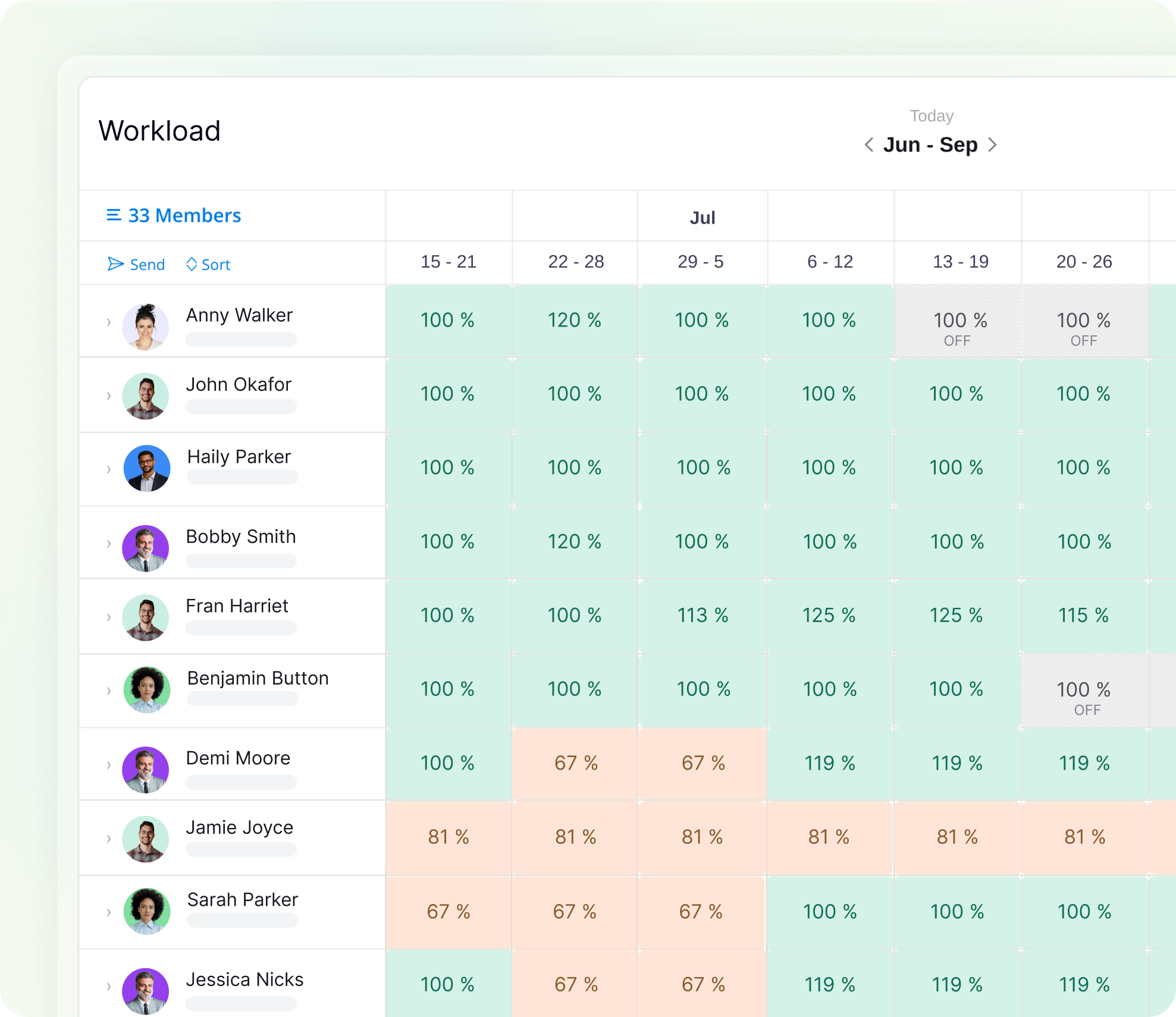
In one view of every person’s week across every client, with booked hours against capacity and the people who have room highlighted. A lead staffing new work sees who could take it before asking around.
Chello, Mosaic’s AI planning assistant, asks each project lead what changed, in Microsoft Teams, so the view stays current without anyone chasing.
How does Mosaic track budgets against time from QuickBooks Online?
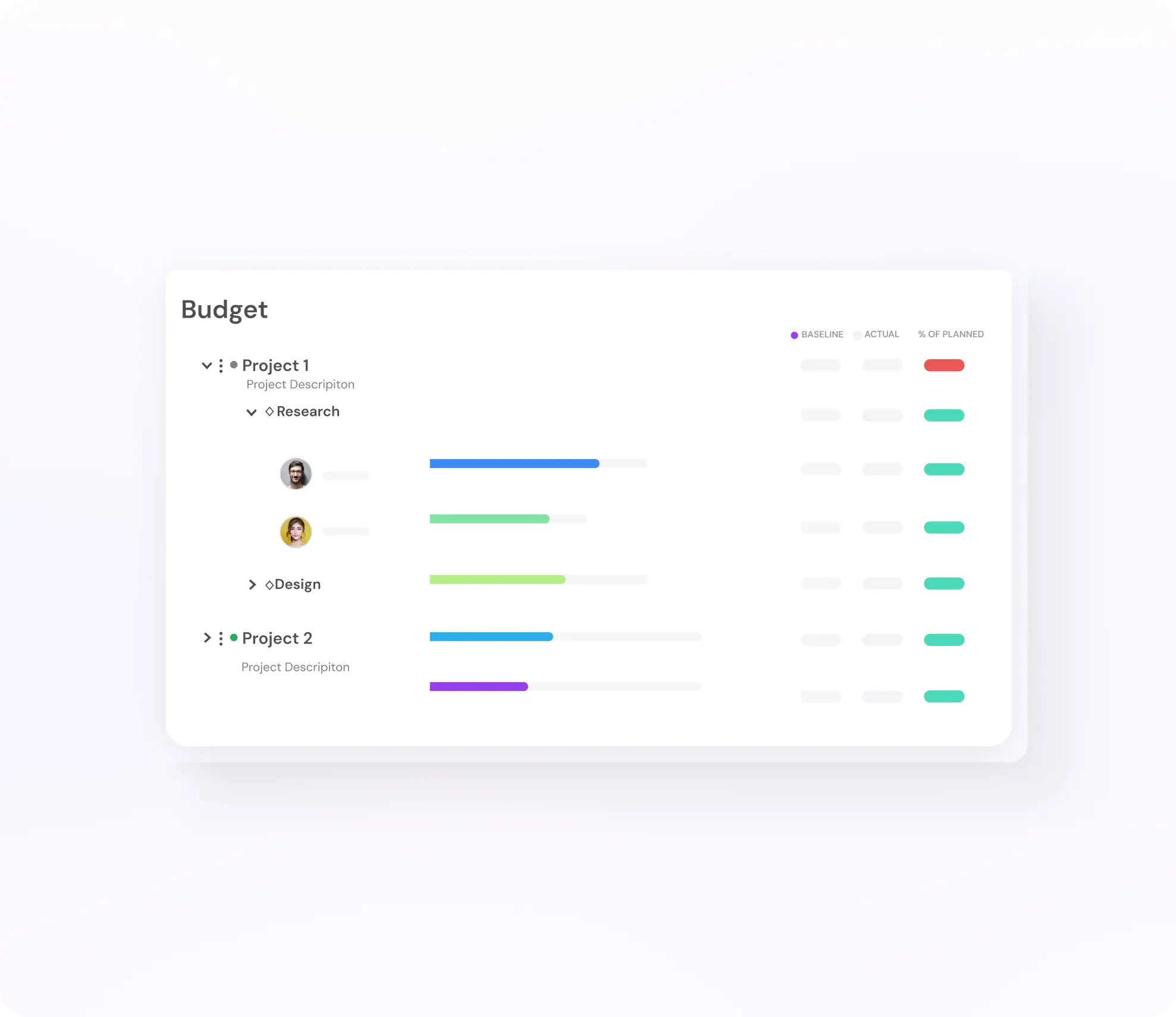
Mosaic compares the hours planned and the hours worked, read from QuickBooks time entries, with each project’s budget by phase. Projects trending over budget are flagged weeks before the month closes, while there’s still time to change the staffing or talk to the client about scope.
Can a small firm on QuickBooks Online forecast revenue and hiring?
Yes. Mosaic AI forecasts revenue by month and demand by role from the hours planned on each project, so a firm can see which roles run short before it has to hire. Work in the pipeline can sit in the plan before it’s won, so next quarter shows early.
Revenue and headcount forecasting · How to forecast staffing needs
How does a firm on QuickBooks Online get started with Mosaic?
A QuickBooks Online admin connects Mosaic from Mosaic’s integration settings, and Mosaic imports the data, typically within 48 hours. Firms are integrated in days, trained and live in 30 to 60 days.
- Connect QuickBooks Online, signed in as a QuickBooks admin.
- Check that clients, projects and phases came across as your firm uses them.
- Set each project’s budget in hours or fees, and the rates the plan should use.
- Each project lead plans the next few weeks: who works on what, and for how long.
- Retire the planning spreadsheet once the leads update the plan instead.
What results have firms seen with Mosaic?
Firms on Mosaic plan 80% or more of their billable staff capacity, against under 50% at typical firms on ERPs and spreadsheets, and a quarter of them report their most profitable year ever.
Source: Mosaic planning data
80%+
of billable staff capacity planned at firms on Mosaic
Under 50%
planned at typical firms on ERPs and spreadsheets
1 in 4
firms on Mosaic report their most profitable year ever
For project-driven firms
Mosaic is for firms that live and die by planning effectively, and that value project and resource planning, management and forecasting. When people are your most valuable resource, and they determine what you can get done and when, you want the best tool for the job: one that gives you control over delivery when deadlines matter. Without one, firms leave $10k to $20k per employee on the table every year: the profit in five more points of utilization, according to the Resource Management Institute. And there’s much more to lose.
How is Mosaic priced for a firm on QuickBooks Online?
Mosaic is priced per seat and billed annually, at standard rates that are the same for every firm. A seat’s price doesn’t depend on the person’s role, and the per-seat rate comes down as the seat count grows, at the same steps for every firm. One annual subscription covers the seats, the platform (onboarding, training, a Customer Success Manager, support and hosting) and any ERP integration, which Mosaic owns and maintains. Setup and implementation are a one-time cost, scoped to the firm’s rollout and listed on the quote before the firm signs. Firms who plan on Mosaic typically see 10 to 20x ROI in a full year, and 12-month contracts that run Chello, Mosaic’s AI planning assistant, in Microsoft Teams are backed by a 5x money-back guarantee. The return comes from staffing projects before the work starts rather than after.
Speak to the team to learn more.
What else do firms on QuickBooks Online ask about Mosaic?
Does Mosaic replace QuickBooks Online?
No. QuickBooks Online keeps the books, invoicing and accounting, and Mosaic plans the work: who works on which project, and when.
Which editions of QuickBooks Online work with Mosaic?
Simple Start, Essentials, Plus and Advanced. Features that only QuickBooks Online Advanced has aren’t part of the connection.
Does Mosaic work with QuickBooks Desktop?
Mosaic’s QuickBooks integration is for QuickBooks Online, and Mosaic recommends QuickBooks Online to firms that want to connect QuickBooks to their plan.
How long does it take to get started?
Firms are integrated in days, trained and live in 30 to 60 days.
Is Mosaic SOC 2 Type II?
Yes. Mosaic is SOC 2 Type II, every customer gets single sign-on, and its AI is never trained on your data.
Book a 20-minute demo
See your clients, projects and people in one plan, starting from your own QuickBooks Online data.