
Project planning and project management for architecture and engineering firms
Mosaic is an AI project and resource planning tool that plans, staffs and reschedules projects for architecture and engineering firms.











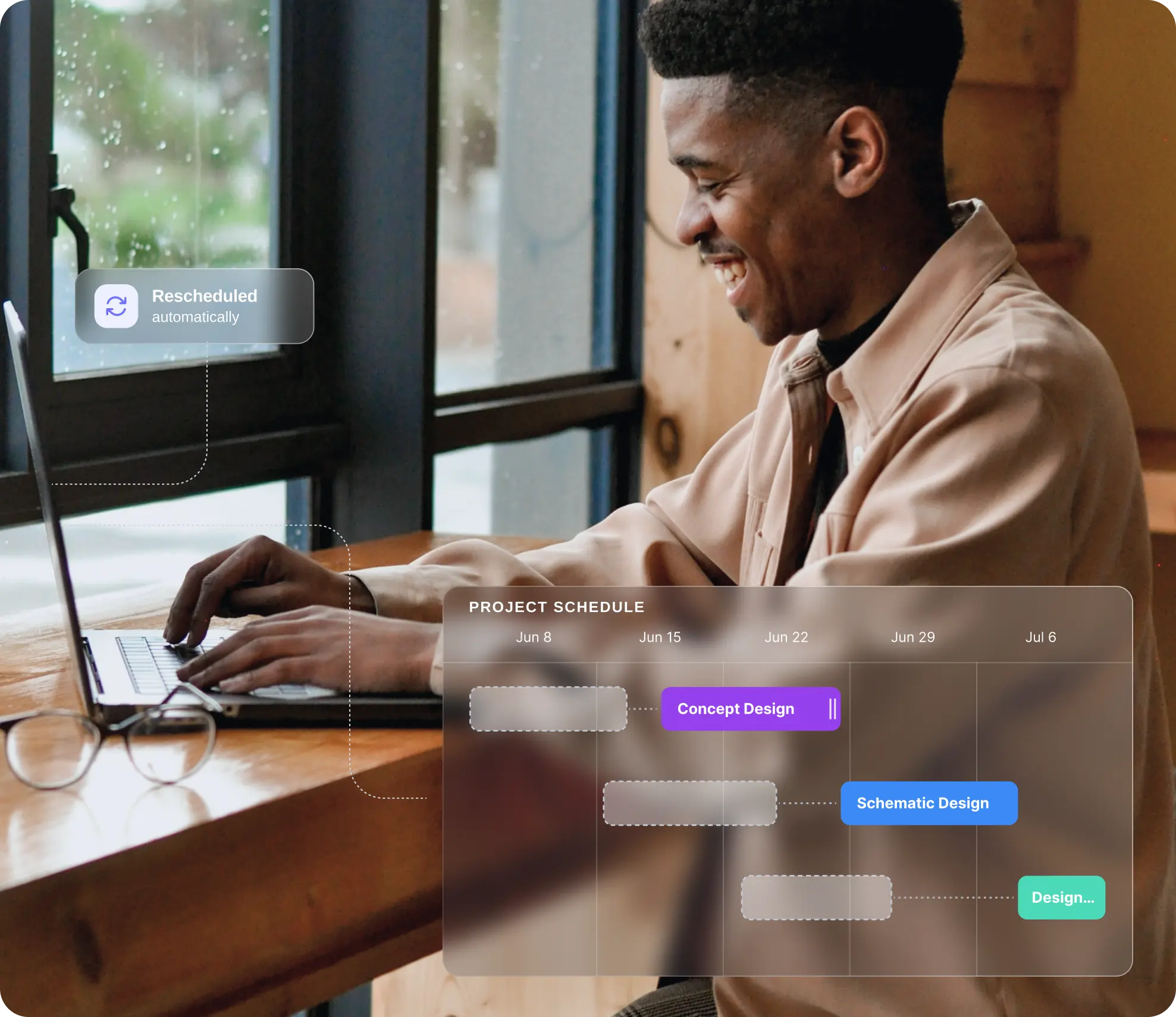
Architecture and engineering firms set each project up by phase. Mosaic builds the plan, finds the people and keeps the schedule current when work slips.
Can AI plan, staff and reschedule a project?
Yes: Mosaic builds a project’s schedule from its phases and work plans, suggests people who fit each open role, and moves the work when a phase slips. Its automatic rescheduling is patented, so when one date changes, the assignments that depend on it change with it.
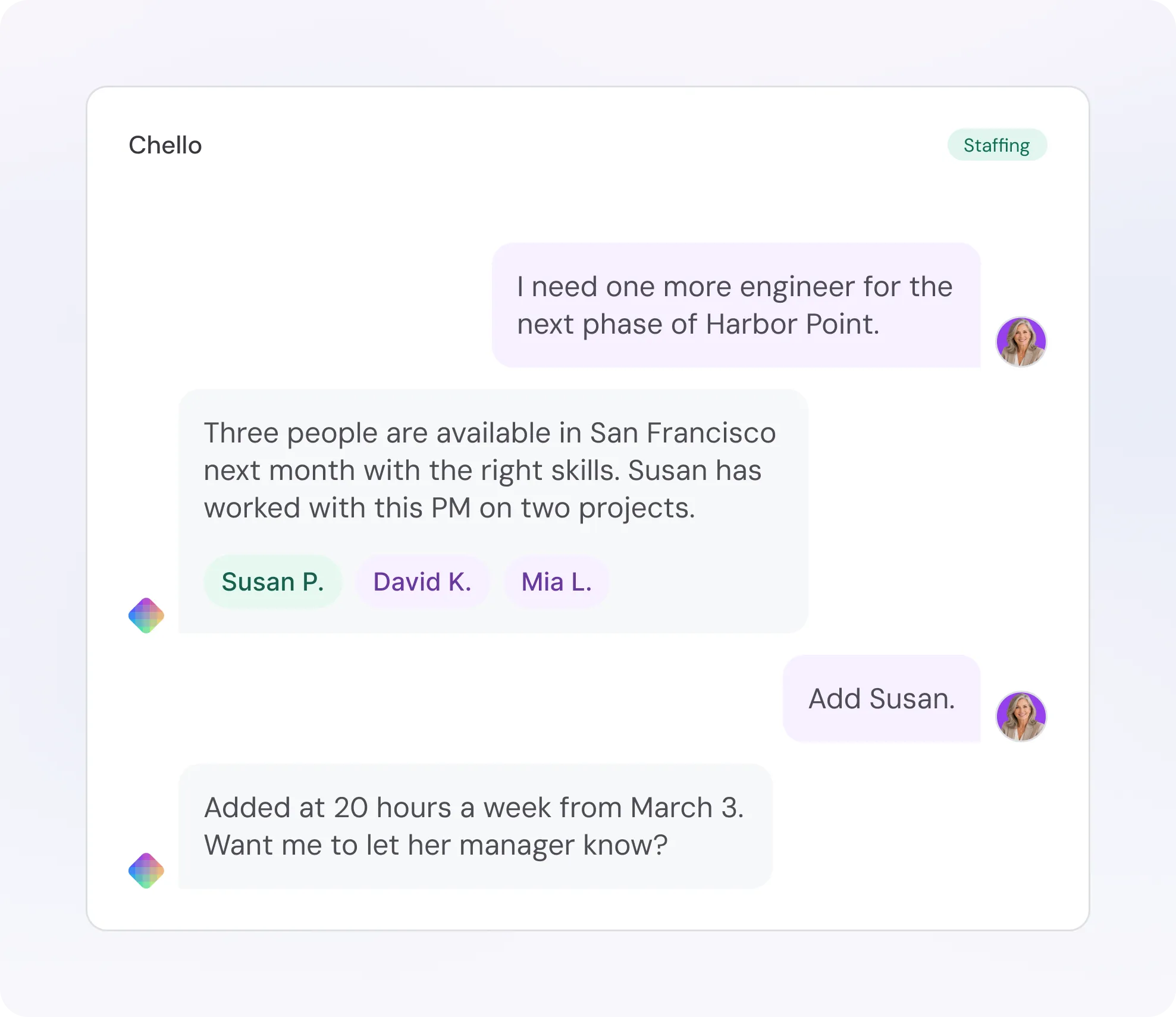
Chello, Mosaic’s AI planning assistant, weighs each open role’s requirements against people’s skills and availability, then proposes people for the role. The project manager decides who joins.
No more spending your Monday morning rebuilding the plan that broke on Friday.
How do architecture and engineering firms plan a project by phase?
Architecture and engineering firms set a fee for each phase, turn it into hours by role, staff those roles and then schedule the work. In Mosaic that is one plan, whether the phases are schematic design (SD), design development (DD), construction documents (CD) and construction administration (CA), or a study, 30/60/90% submittals, bidding and construction services.

Phases
Start from your firm’s standard phases and milestones, with sub-phases where a phase needs them.

Fee by phase
Set each phase’s fee, fixed fee or hourly, and the profit you’re aiming for. Additional services can go in as their own phase.

Hours by role
Turn the fee into hours for each role and work category, so the budget says who does how much.

Staffing
Put people on each role, or leave a role open until the right person is free.

Schedule
Lay the phases on the timeline with their dependencies, so when one phase moves, the work after it moves too.

Can firms start new projects from templates or past projects?
Yes: build a project template once, or clone a similar past project, and kick off the next one in minutes instead of days of setup. Clone the whole project or any part of it, from phases, fees and hours by role to the team, tasks, scope and schedule.
Put an end to duplicate work and make success repeatable.
Company-wide templates keep every project on the firm’s standard phases and milestones. Move a cloned project’s start date and its schedule shifts with it.
Bring people over as named team members or as open roles, so the new project keeps the staffing pattern without assuming the same people are free.
Do firms need one tool or two for project planning and resource planning?
One, because the two depend on each other: a schedule change moves staffing, and staffing moves the fee. Project planning decides what happens when and at what budget, resource planning decides who does it across every project, and Mosaic does both in one plan.
The schedule lives in one tool and the staffing in another. Every change gets entered twice, and nobody sees what it does to the fee until the hours are spent.
Phases, budgets and people share one plan. Move a phase and the people on it move too, and the budget shows the effect instantly, while there’s still time to act.
Mosaic does project management too:
- Phases, sub-phases and milestones
- Budgets by phase, in hours and fees
- Full, shareable Gantt chart schedules, with dependencies
- Tasks and task lists
- Staffing, with open roles
- Patented automatic rescheduling when dates move

How do PMs track budget against actual hours and fee burn by phase?
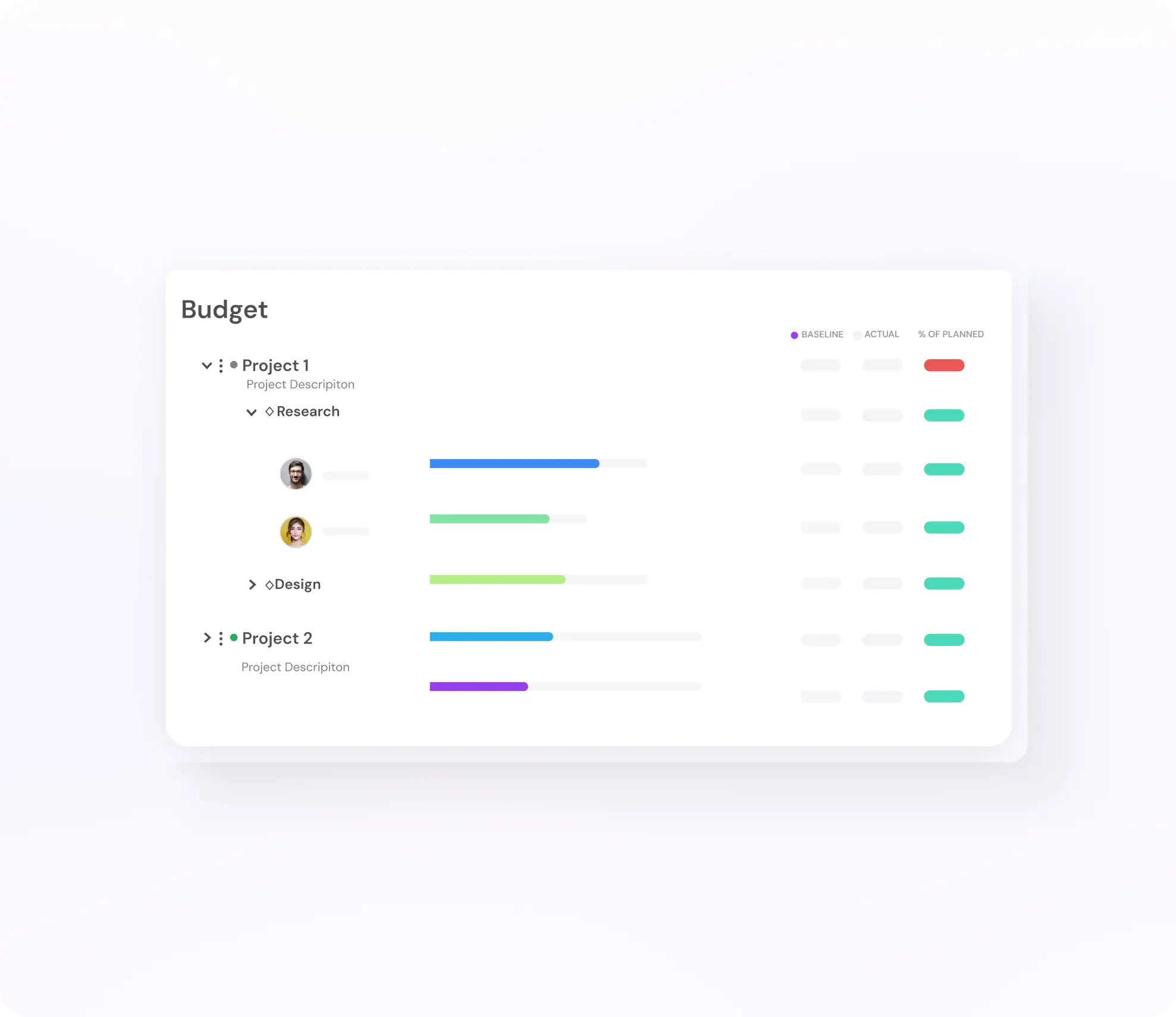
Each phase carries its budget in hours and fees, and actual hours come in from time entries and from your ERP, pulled in four times a day. Mosaic tracks budget against actuals for every phase, shows the variance as it builds and reports profit margin by project as the work happens, not after the invoice.
- Budget tracking by phase, in hours and fees
- Time and budget variance, by phase and by person
- Profit margin by project, as the work happens
How do firms handle scope changes on fixed-fee projects?
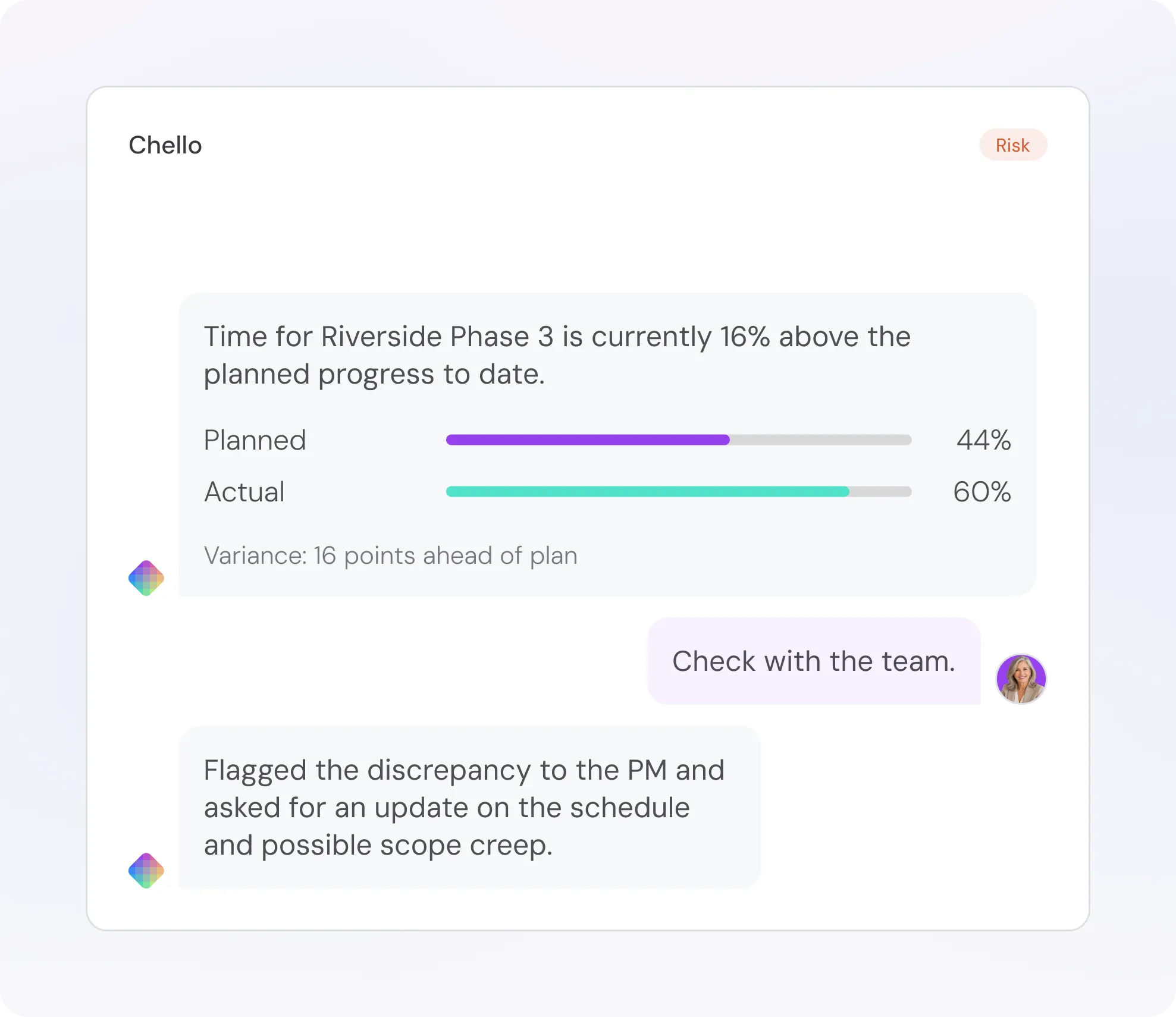
Firms spot scope creep early, when a phase uses hours faster than planned, and agree a change order before the fee runs out. Mosaic shows that gap as variance by phase, and you can even get a Chello brief on scope creep that looks at time, budget and schedule variance together.
The PM sees which phase is over, by how much and whose time is going into it.
Phases can be fixed fee or hourly, so added scope can go in as its own phase, with its own fee, hours and people, and the original fee stays clean.
How do PMs and principals see every project, deadline and person in one view?
Mosaic’s timeline is a Gantt-style view of every project’s phases with the people staffed on each, so PMs see their own deadlines and principals see the whole firm. Schedule variance shows which deadlines are slipping, and Chello flags projects at risk while there’s still time to change course.
Group projects into portfolios by office, client or market, and principals see staffing, budgets and deadlines for each group in one place.
For firm-wide resource planning, see Resource planning for architecture and engineering firms.


“Previously you’d have to make a phone call and ask 10 questions to try to get to the answer. This shortcuts that substantially.”
Is it simple enough that PMs keep it current?
Yes: firms on Mosaic plan 80% or more of their billable staff capacity, against under 50% at typical firms planning on ERPs and spreadsheets, and over 90% with Chello in Microsoft Teams. Chello asks PMs for updates in Microsoft Teams, where they already work, and one reply gets the plan to match reality.
Simpler to use. Orders of magnitude more sophisticated.
Firms are integrated, trained and live in 30 to 60 days.
What results do architecture and engineering firms see?
Firms that plan projects and people in Mosaic see the difference in utilization and in time spent managing resources. CPL spends 75% less time managing resources across its nine practices, and CetraRuddy went from 77% to 90% utilization and had its best year in 38 years.
Source: CPL, CetraRuddy and Vocon, Mosaic customers
75%
less time managing resources at CPL
90%
utilization at CetraRuddy, up from 77%
94%
of capacity planned at Vocon, up from 49%
How is this different from a general project management tool?
General project management tools track tasks and due dates, while architecture and engineering firms plan phases, fees and people against an ERP. Mosaic connects the three in one plan, so the schedule, the budget and the team stay in step as the work changes.
A general project management tool
Tracks tasks, owners and due dates. Fees and staffing live in other tools.
Your ERP
Keeps the books: hours, fees and invoices. Mosaic plugs into your ERP.
Without an integration
Phases get named differently in each tool, and budgets drift. Bad data can be worse than no data.

Plans phases, fees and people in one place, on the same phases and budgets as your ERP. Move a phase and the people and the budget follow.
ERPs record what happened. Mosaic helps you run the firm.
What else do firms ask about project planning in Mosaic?
Does Mosaic do project management, or only resource planning?
Both, in one place. Mosaic handles phases, budgets, schedules, tasks, dependencies and staffing, and it plans people across every project, so a change to the schedule shows up in staffing and the budget.
Can Mosaic reschedule work when a phase slips?
Yes. Mosaic’s patented automatic rescheduling moves the affected assignments when a phase’s dates change, so the work after it and the people on it stay in step. You review the change instead of rebuilding the plan.
Can it staff a project automatically?
It suggests one, and the project manager confirms it. Chello weighs each open role’s requirements against people’s skills and availability, then proposes people for the role, and the project manager decides who joins.
Does Mosaic have project templates?
Yes. Build a template once with the firm’s standard phases, fees, hours by role, tasks and work plans, and start each new project from it. Or clone a similar past project, in whole or in part, with people as named members or as open roles.
How long does it take to go live?
Firms are integrated, trained and live in 30 to 60 days. Mosaic plugs into your ERP.
Book a 20-minute demo
See how Mosaic would plan, staff and reschedule your firm’s projects, from fee to staffing to schedule.