

Tempo Capacity Planner alternatives for IT services companies and software agencies
IT services companies and software agencies look for a Tempo Capacity Planner alternative when they plan client work outside Jira: who works for which client, and when, across every account. Mosaic, an AI project and resource planning tool, plans those people by role, skill and availability, while Jira keeps running delivery.
The right alternative depends on where your company plans its client work. Each option below says which companies it fits.
Why do IT services companies and software agencies look for a Tempo Capacity Planner alternative?
IT services companies and software agencies usually look for an alternative when client work is planned outside Jira: engagements, retainers and SOWs staffed by role and skill, with revenue and hiring forecast from that plan. Tempo describes Capacity Planner as a capacity and resource management app for Jira.

An ERP integration we build and run
Enterprise grade, with 99.9% reliability: Mosaic reads engagements, people and time from your ERP, and maintains the connection itself.

Staffing by skill and availability
Find people by role, skill and availability across every client, instead of asking around.

Retainers, fixed fees and SOWs
Each engagement sits in the same plan, with its budget in hours or fees and the people on it.

Billable and non-billable time
Client work and internal time sit in the same plan, so each person’s week adds up.

Forecasts from the plan
Revenue by month and demand by role, built from the hours planned on every engagement.
Sign-in and audit
Single sign-on, granular permissions, an activity log and approvals, for every customer.
What are the alternatives to Tempo Capacity Planner for planning client work outside Jira?
IT services companies and software agencies usually weigh three options. One is a resource planning tool that plans people across clients and plugs into the ERP, such as Mosaic. Another is a PSA suite that also runs time and billing. The third is keeping capacity planning inside Jira. Which fits depends on where the company plans its client work.
| Option | What it does | Fits companies that | Keep in mind |
|---|---|---|---|
| Mosaic | Plans people by role, skill and availability across every client, starting from the data in your ERP, and forecasts revenue and hiring from that plan | Plan client work outside Jira, and keep their books in an ERP | Doesn’t run delivery: Jira keeps the tickets and sprints |
| A PSA suite | Projects, time, billing and resource management in one product | Want one product to run delivery and finance together | A larger rollout, since it replaces more of the company’s systems |
| Staying on Tempo Capacity Planner | Plans people against Jira issues, projects and tasks, with roles, skills and placeholders, by its own description | Plan their work inside Jira | Planned against actual time uses Tempo’s Timesheets app, by its own description |
How do IT services companies plan client work while Jira runs delivery?
They split the two jobs: Jira runs delivery, the tickets and sprints inside each client project, and a resource planning tool decides who works for which client, and when, across all of them. In Mosaic, an account lead sees who is free next month before committing to new work.
Mosaic doesn’t replace the delivery tool. It plans the people the delivery work needs, with their capacity, skills and rates in one place.

How does Mosaic show capacity across clients?
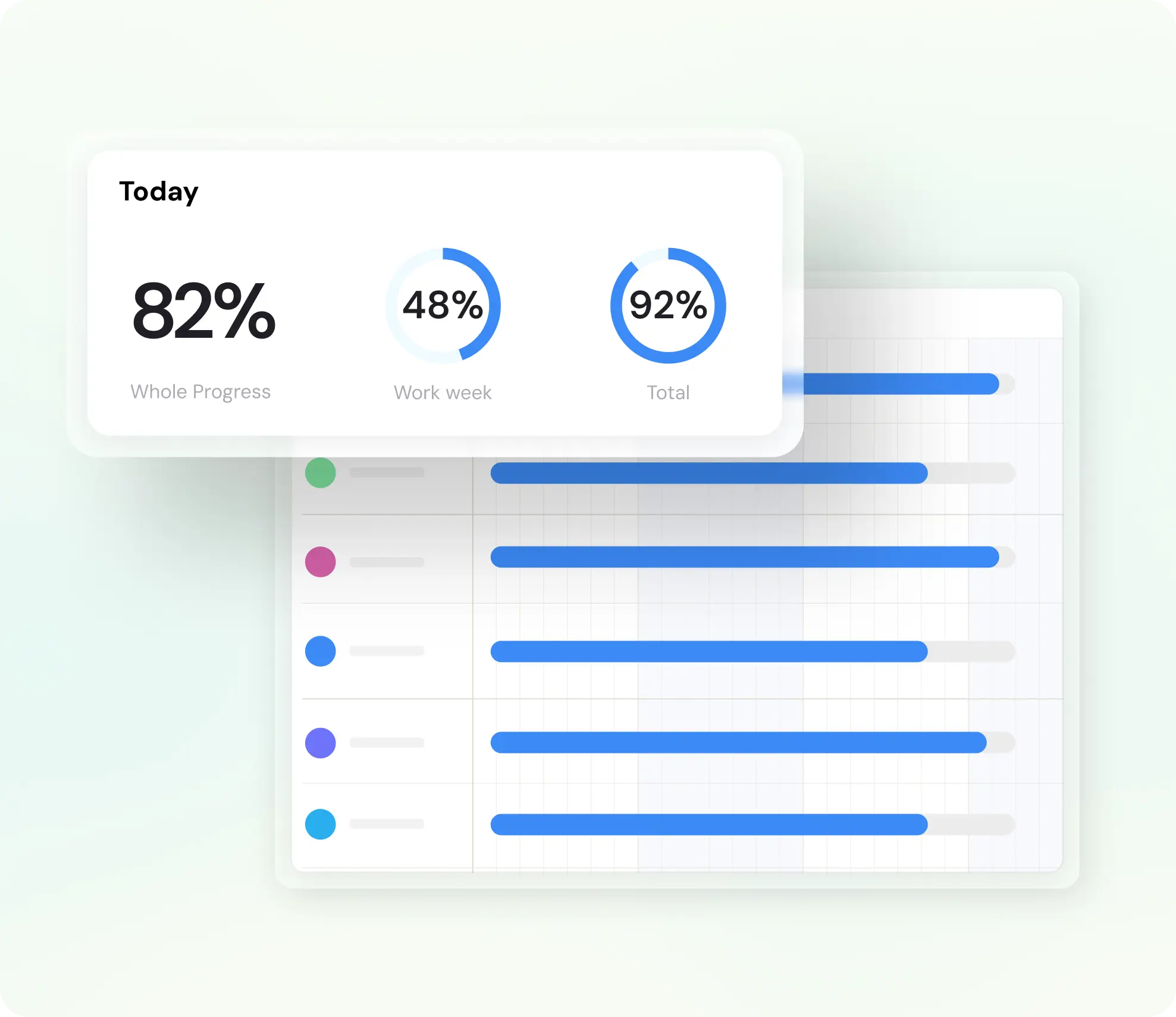
Mosaic shows each person’s planned hours against their capacity, week by week, across every client, and rolls them up by role and team, so overload and spare time both show up before the week arrives. Planned utilization by person and role shows where billable targets will fall short.
Plan 100% of each person’s time, billable and non-billable, so the plan matches reality. Billable targets are set separately by role, typically under 100%.
How does the plan stay current when engineers work in Jira?
Chello, Mosaic’s AI planning assistant, asks each account lead or project manager for updates in Microsoft Teams, and one reply gets the plan to match reality. Engineers keep working in Jira, and the people who staff the work keep the plan current.
Chello also proposes people for open roles by skill and availability, and the manager decides who joins.

How does an IT services company forecast hiring from its client work?
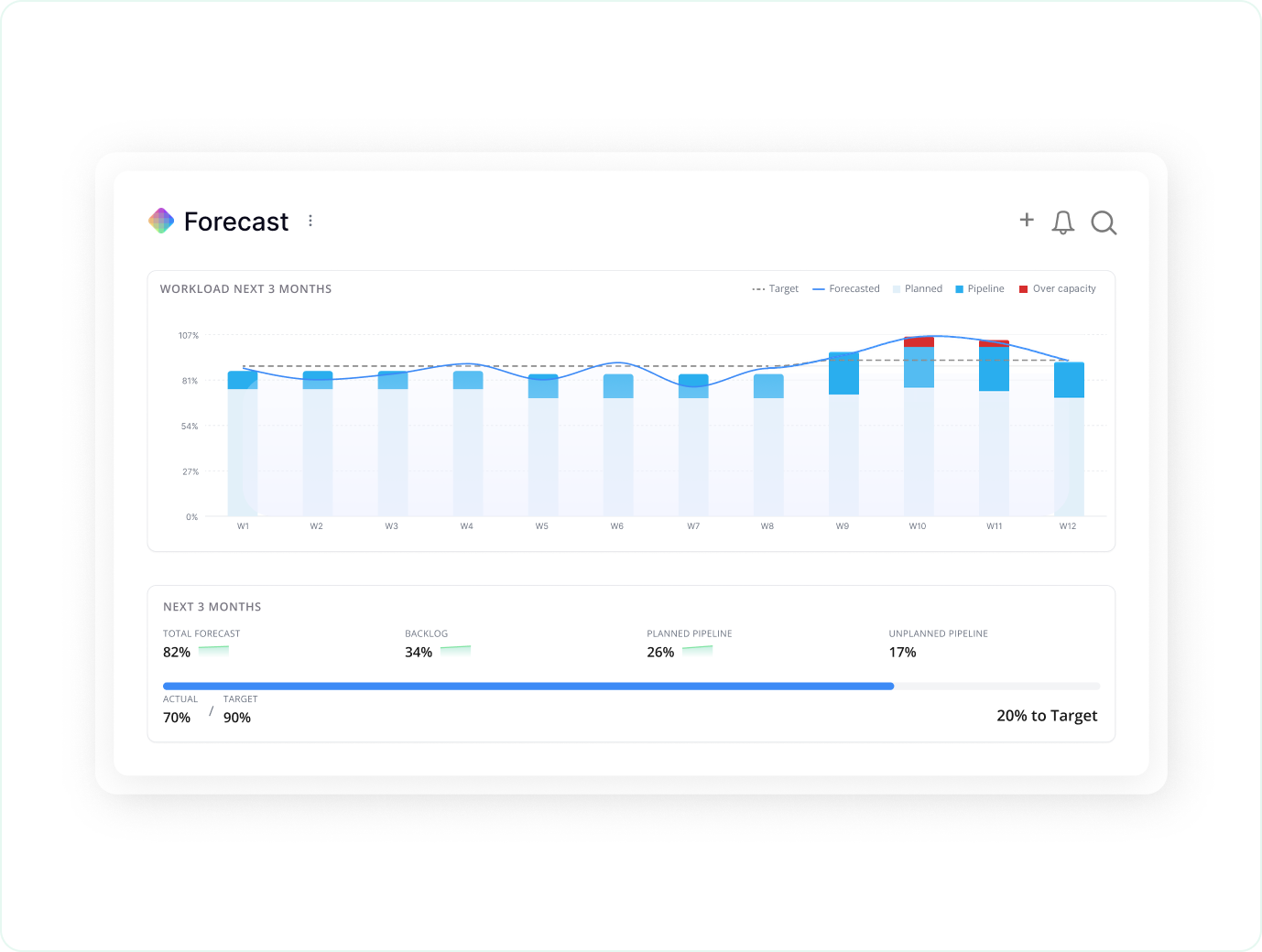
Mosaic forecasts from the plan: hours planned on every engagement, by role and bill rate, give revenue by month, and demand by role against capacity shows which roles run short and when to hire. Work in the pipeline can sit in the plan before it’s won, so next quarter shows early.
Mosaic has forecast from planned time for years, and AI now takes it further: an AI adjustment factors in market conditions and other benchmarks, and firms can run several scenarios side by side. Within four months on Mosaic, a firm’s next-quarter forecast can be accurate to within about 3% to 4%.
Revenue and headcount forecasting · How to forecast staffing needs

“Knowing in advance when you’re going to need to hire in order to meet future backlog is to some extent the holy grail of the professional services industry.”
Can our AI assistants and identity provider work with Mosaic?
Yes: Mosaic’s MCP lets AI assistants such as Claude and ChatGPT work with the plan, within the permissions of the person who connected them, and their changes go through Chello. Every customer also gets single sign-on, granular permissions, an activity log and approvals.
Mosaic is SOC 2 Type II, and the report is on Mosaic’s Trust page. Access defaults to locked, and planning gets gated.
Planning from Microsoft 365 and AI assistants · Security at Mosaic
Does Mosaic connect to Jira?
Yes. Mosaic integrates with Jira and can mirror the tasks your teams track there, so the plan shows the work and the time it takes. Jira keeps running delivery, the tickets and sprints, and Mosaic plans the people across every client.
How does an IT services company move its capacity planning to Mosaic?
Companies connect Mosaic to their ERP first, so the engagements, people and time it holds come in, then plan the next few weeks in Mosaic and run both side by side until the plan matches the work. To switch, Mosaic imports your data, typically within 48 hours, and the ERP integration is in place within days. Companies are trained and live in 30 to 60 days.
NetSuite and Microsoft Dynamics 365 are among the ERPs Mosaic plugs into. Jira keeps running delivery throughout.
Resource planning with NetSuite · Resource planning with Microsoft Dynamics 365

What results have companies seen from planning in Mosaic?
Firms on Mosaic plan 80% or more of their billable staff capacity, against under 50% at typical firms on ERPs and spreadsheets. CetraRuddy went from 77% to 90% utilization and had its best year in 38 years, and CPL spends 75% less time managing resources.
Source: Mosaic planning data · CetraRuddy and CPL, Mosaic customers
80%+
of billable staff capacity planned at firms on Mosaic
90%
utilization at CetraRuddy, up from 77%
75%
less time managing resources at CPL
For companies that live and die by planning
Mosaic is for project-driven companies that value project and resource planning, management and forecasting. When people are your most valuable resource, and they determine what you can get done and when, you want the best tool for the job: one that gives you control over delivery when deadlines matter. Without one, companies leave $10k to $20k per employee on the table every year: the profit in five more points of utilization, according to the Resource Management Institute. And there’s much more to lose.
How is Mosaic priced for an IT services company?
Mosaic is priced in annual parts: a per-seat subscription, a platform fee and an optional ERP integration, which Mosaic owns and maintains. Onboarding and implementation is a one-time cost, scoped to the firm’s rollout, and the team sets out all of it in one quote. Firms who plan on Mosaic typically see 10 to 20x ROI in a full year, and full-priced plans are backed by a 5x money-back guarantee. The return comes from staffing projects before the work starts rather than after.
The per-seat rate steps down as headcount increases, and the platform fee funds onboarding, training, a Customer Success Manager, support and hosting.
Speak to the team to learn more.
What else do IT services companies ask about Tempo alternatives?
Is Mosaic a Tempo Capacity Planner alternative?
Yes, for IT services companies and software agencies that plan client work outside Jira and keep their books in an ERP. Teams whose planning lives inside Jira issues are better served by a capacity app for Jira.
Does Mosaic replace Jira?
No. Jira keeps running delivery, the tickets and sprints, and Mosaic plans the people across clients: who works for which client, and when.
Which ERPs does Mosaic work with?
Mosaic plugs into NetSuite and Microsoft Dynamics 365, among other ERPs, and reads projects, phases, people, roles, budgets and fees, and time from them. One Mosaic plan can read from more than one ERP.
How long does it take to go live?
To switch, Mosaic imports your data, typically within 48 hours, and the ERP integration is in place within days. Companies are trained and live in 30 to 60 days. Delivery stays in Jira throughout.
Is Mosaic SOC 2 Type II?
Yes. Mosaic is SOC 2 Type II, and the report is on Mosaic’s Trust page.
Book a 20-minute demo
See who’s free across every client next month, in one plan built from the data in your ERP.