

Planifi alternatives for architecture and engineering firms
Architecture and engineering firms look for a Planifi alternative when they want every project manager planning in one shared plan, kept current by AI, with forecasts built from it. Mosaic, an AI project and resource planning tool, is the planning system the whole firm works in: starting from the data in the ERP the firm already runs, it plans each project by phase and fee.
The right alternative depends on who in the firm keeps the plan current. Each option below says which firms it fits.
Why do architecture and engineering firms look for a Planifi alternative?
Firms usually look for a Planifi alternative when they want every project manager planning in one shared plan, kept current by an AI assistant, with revenue and hiring forecast from it. Planifi describes itself as visual planning that makes it easy for design professionals to plan and schedule projects.

An ERP integration we build and run
Enterprise grade, with 99.9% reliability: pre-built for six Deltek builds and the other A&E ERPs, with the fields Mosaic reads from each published. Mosaic maintains the connection itself.

Every project manager planning
Chello, Mosaic’s AI planning assistant, asks each project manager for updates in Microsoft Teams, and one reply gets the plan to match reality.

Phases and fees
Each project planned by phase, with its budget in hours and fees beside the people on it.

Forecasts
Revenue, utilization and hiring forecast from the live plan, with scenarios side by side.

Every office in one plan
Offices, studios and disciplines share one plan, so people can be lent across them.
Sign-in and audit
Single sign-on, granular permissions, an activity log and approvals, for every customer.
What are the alternatives to Planifi for an architecture or engineering firm?
Firms usually weigh three kinds of alternative. One is a project and resource planning tool that plugs into the ERP and gets project managers planning, such as Mosaic. Another is a planning tool built for A&E firms. The third is a scheduling tool. Which fits depends on who keeps the plan current.
| Option | What it does | Fits firms that | Keep in mind |
|---|---|---|---|
| Mosaic | Plans each project by phase and fee, staffs it and forecasts revenue and hiring, with every project manager planning in one plan built from the data in your ERP | Want every project manager planning, and run an ERP such as Deltek Vantagepoint, Ajera, BQE CORE or Unanet | No invoicing or accounting: your ERP keeps those |
| Another planning tool built for A&E firms | Staffing and schedules by project, office and discipline | Want a planning tool made for design firms | Ask who keeps the plan current, and how |
| A scheduling tool | Who’s booked on what, week by week | Mostly need a shared calendar of people | Phases, fees and forecasts live somewhere else |
| Staying on Planifi | Planning software for architects and engineers: fee, plan vs. actual and EAC by project, staff schedules and assignments sent to Outlook, and staffing requests approved by managers, by its own description | Want a planner-led tool, with schedules sent to staff in Outlook | Its features page names a Deltek Vision integration. Ask for the field list for your ERP, and how a change made by staff gets back into the plan |
How does Mosaic get every project manager planning?
Chello asks each project manager for updates in Microsoft Teams, and one reply gets the plan to match reality, so the plan doesn’t depend on one person keeping it. Firms on Mosaic plan 80% or more of their billable staff capacity, and over 90% with Chello in Microsoft Teams.
Most firms on Mosaic get most of their people planning. The only thing that gets everyone planning is the Teams integration.
And because the whole firm works in it, Mosaic holds what no ERP sync can: next week’s assignments, the proposal pipeline, time off and skills.

What should an architecture or engineering firm ask any planning vendor?
Six questions that settle most evaluations, with Mosaic’s answers:
- Who will plan in the tool every week, and who keeps the plan current when things change mid-week? In Mosaic, the people doing the work, with Chello asking for updates in Microsoft Teams.
- How does a change made by staff get back into the plan without someone re-keying an email? In Mosaic, project managers and staff update the plan themselves.
- Which fields come in from our ERP, in which direction and how often? Mosaic publishes the field list for each integration.
- What does implementation involve, who does the work, and how long does it take? Mosaic imports your data in about 48 hours, the ERP integration is in place within days, and firms are trained and live in 30 to 60 days.
- What security documentation can you share? Mosaic is SOC 2 Type II.
- What have you shipped in the last 12 months? Mosaic ships one configurable product, updated continuously for every customer.

What happens to the plan when a phase slips?
When a phase’s dates change, Mosaic’s patented automatic rescheduling moves the work after it and the people on it, so the schedule and the staffing stay in step. The project manager reviews the change instead of rebuilding the plan, and the budget shows what the move does to the fee.
No more spending your Monday morning rebuilding the plan that broke on Friday.
Why do firms want project planning and resource planning in one plan?
Because the two depend on each other: when a phase’s dates move, its people move with it, and who staffs a phase decides how fast it uses its fee. In Mosaic, phases, fees and people share one plan, so a change shows up in staffing and the budget at once.
A schedule of who works where, with the phases, fees and dates kept somewhere else.
Phases, budgets and people together. Move a phase and the people on it move too.
What firms plan in Mosaic:
- Every project by phase, from schematic design to construction administration
- Hours and fees against each phase’s budget
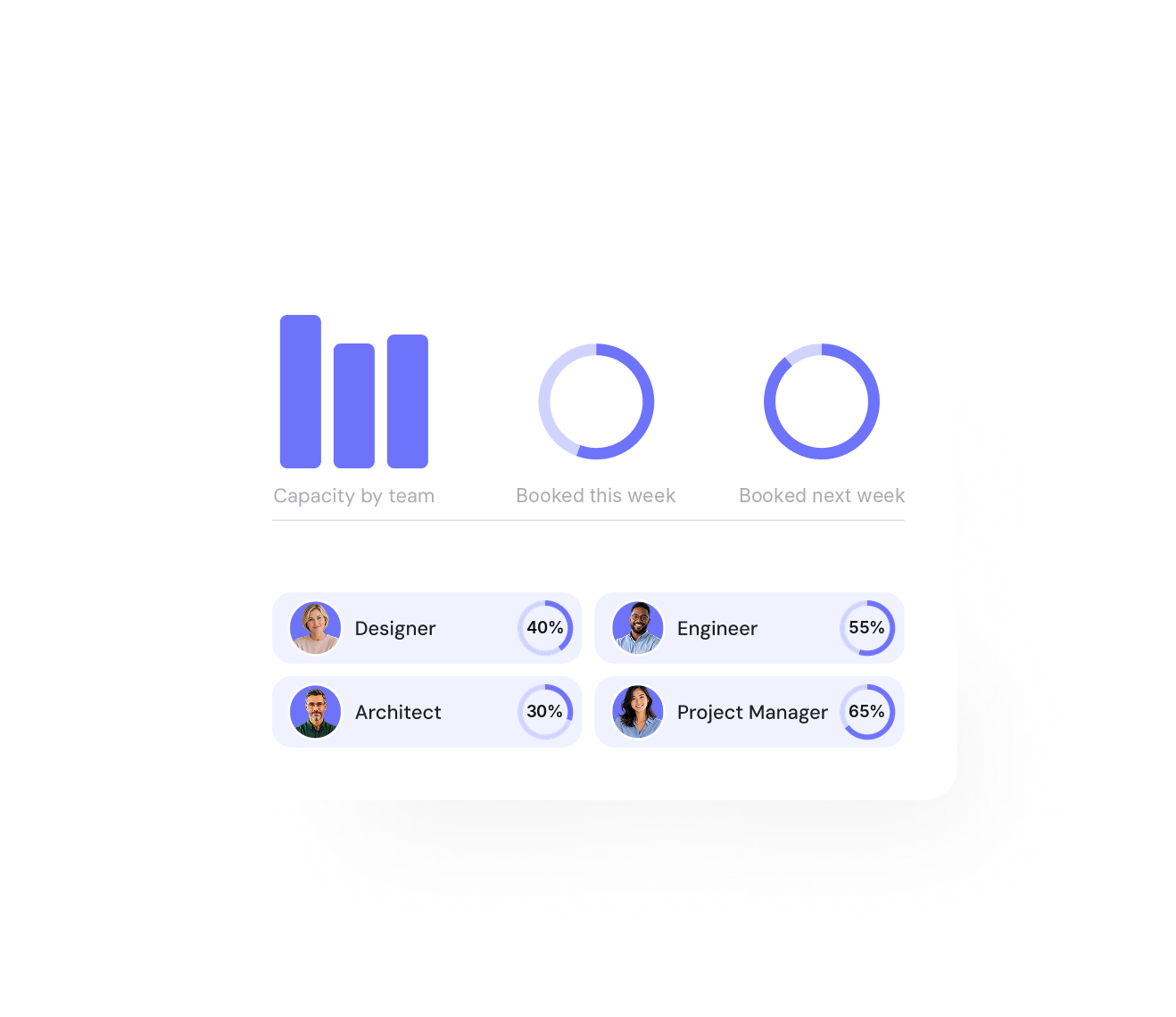
- People by role, skill and availability, across offices and disciplines
- Revenue, utilization and hiring forecasts from the live plan
- New projects from templates or similar past projects, in minutes
How does Mosaic forecast revenue, utilization and hiring for an A&E firm?
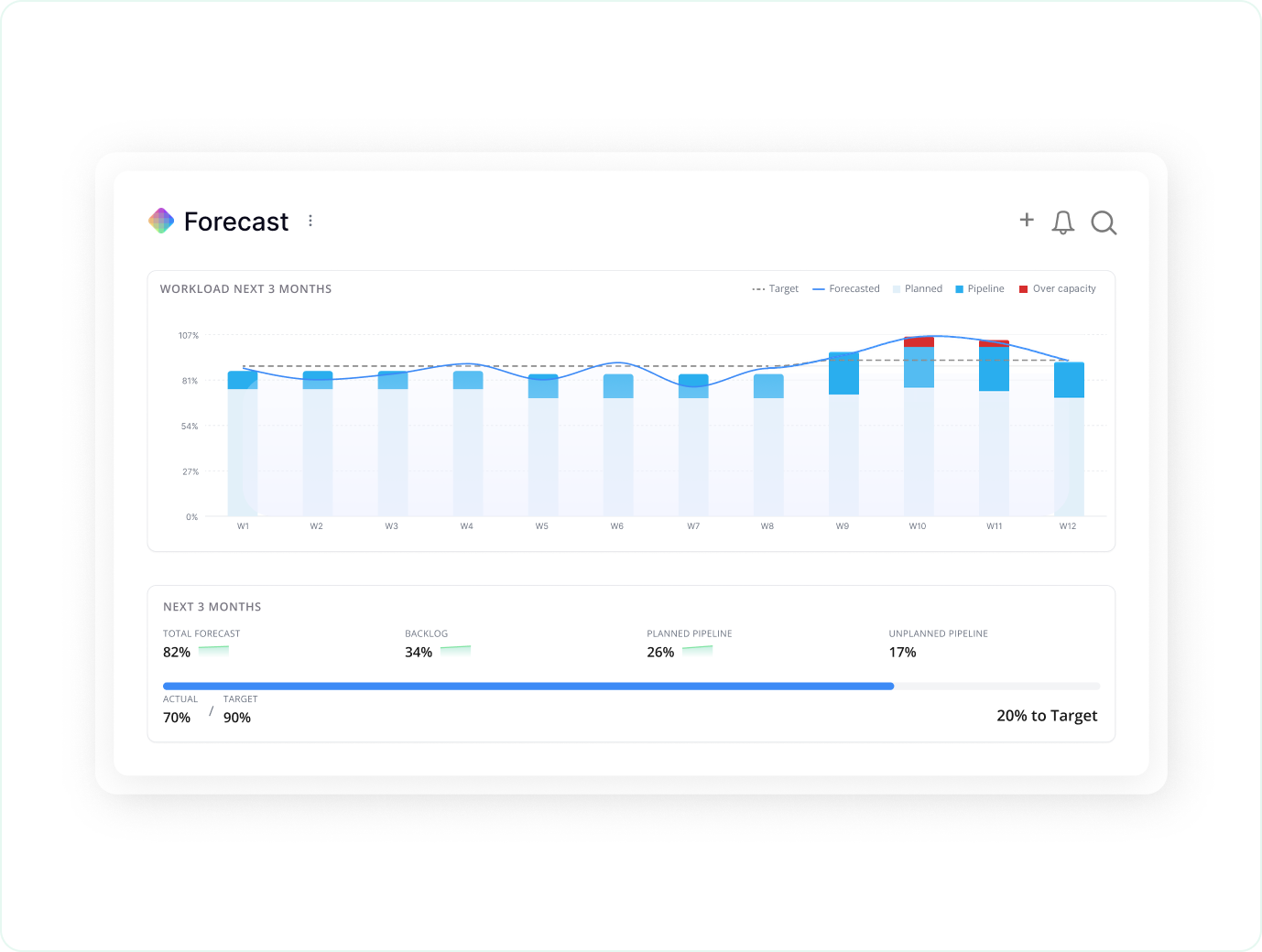
Mosaic forecasts from the live plan: hours planned on every phase, by role and rate, give revenue by month, and demand by role against capacity shows utilization ahead and when to hire. Pipeline work can sit in the plan before it’s won, and each firm chooses how much each stage counts.
Mosaic has forecast from planned time for years, and AI now takes it further: an AI adjustment factors in market conditions and other benchmarks, and firms can run several scenarios side by side. Within four months on Mosaic, a firm’s next-quarter forecast can be accurate to within about 3% to 4%.
Revenue and headcount forecasting · Capacity planning and utilization

“As a PM group, we meet every Thursday and go through each person individually on Mosaic to help when people get overloaded and make sure their workload is balanced.”

How do firms move from Planifi to Mosaic?
Firms connect Mosaic to their ERP, so projects, phases, people and fees come in, then run both side by side for a short time and switch once the plan in Mosaic matches the work. To switch, Mosaic imports your data, typically within 48 hours, and the ERP integration is in place within days. Firms are trained and live in 30 to 60 days.
Training for project managers and principals is part of the rollout, and one Mosaic plan can read from more than one ERP.
Resource planning with Deltek Vantagepoint · Resource planning with Ajera · Resource planning with BQE CORE
What changes when an architecture or engineering firm plans in Mosaic?
Firms on Mosaic plan 80% or more of their billable staff capacity, against under 50% at typical firms on ERPs and spreadsheets, and a quarter of them report their most profitable year ever. CetraRuddy went from 77% to 90% utilization and had its best year in 38 years, and CESO, an engineering firm, raised production-staff utilization 2 points.
Source: Mosaic planning data · CetraRuddy and CESO, Mosaic customers
80%+
of billable staff capacity planned at firms on Mosaic
90%
utilization at CetraRuddy, up from 77%
+2
points of production-staff utilization at CESO
For firms that live and die by planning
Mosaic is for project-driven firms that value project and resource planning, management and forecasting. When people are your most valuable resource, and they determine what you can get done and when, you want the best tool for the job: one that gives you control over delivery when deadlines matter. Without one, firms leave $10k to $20k per employee on the table every year: the profit in five more points of utilization, according to the Resource Management Institute. And there’s much more to lose.
How is Mosaic priced for an architecture or engineering firm?
Mosaic is priced in annual parts: a per-seat subscription, a platform fee and an optional ERP integration, which Mosaic owns and maintains. Onboarding and implementation is a one-time cost, scoped to the firm’s rollout, and the team sets out all of it in one quote. Firms who plan on Mosaic typically see 10 to 20x ROI in a full year, and full-priced plans are backed by a 5x money-back guarantee. The return comes from staffing projects before the work starts rather than after.
The per-seat rate steps down as headcount increases, and the platform fee funds onboarding, training, a Customer Success Manager, support and hosting.
Speak to the team to learn more.
What else do firms ask when they compare Planifi and Mosaic?
Is Mosaic a Planifi alternative?
Yes, for architecture and engineering firms that want the whole firm planning in one plan built from the data in their ERP. A firm that wants a planner-led tool, with fee, plan vs. actual and EAC reporting and schedules sent to staff in Outlook, may be well served by Planifi.
Does Mosaic do invoicing or accounting?
No. Mosaic plugs into your ERP or other finance or invoicing software, which keeps billing and accounting, and Mosaic plans the work: who works on which project, phase by phase. We feel business operations command their own software platform.
Which ERPs does Mosaic work with?
Mosaic has pre-built integrations for Deltek Vantagepoint (cloud and on-premises), Vision, Ajera, Costpoint and PIM, plus Unanet, BST, BQE CORE, Vista and Microsoft Dynamics 365, and an open API for the rest. It publishes the fields it reads from each.
How long does the switch take?
To switch, Mosaic imports your data, typically within 48 hours, and the ERP integration is in place within days. Firms are trained and live in 30 to 60 days. A short side-by-side run lets the team check the plan before switching.
Is Mosaic SOC 2 Type II?
Yes. Mosaic is SOC 2 Type II, and access defaults to locked, so each person sees only what their permissions allow.
Book a 20-minute demo
See every project manager’s phases, fees and people in one plan, built from the data in your ERP.